Choosing Interactive Boards for global classrooms is not a simple matter of comparing screen sizes and prices. A board that performs well in a bright London classroom may struggle in a rural Kenyan school with unstable internet. A 30-student class also needs different features from a small language-learning group. Viewing angles, speaker clarity, touch accuracy, stylus response, and mounting height can directly affect daily teaching.
George Couros, an education technology expert, said, “Technology will never replace great teachers, but technology in the hands of great teachers can be transformational.” His point remains practical. Interactive Boards should support explanation, collaboration, and feedback without creating extra work. Teachers need to open lessons quickly, annotate maps clearly, and share student work without complicated menus. That sounds simple. Reality is messier.
Global buyers should examine operating-system compatibility, local language support, offline functions, accessibility tools, data protection, and warranty service. A reliable board should remain useful when the Wi-Fi fails. It should also offer readable text for students sitting at the back, including those with limited vision. Energy consumption matters in schools managing strict budgets. So does repairability.
No single model fits every country or curriculum. I have seen product comparisons focus heavily on resolution while ignoring classroom glare and teacher training. That is a weakness worth admitting. The best decision combines technical testing, teacher feedback, student needs, and long-term ownership costs. This guide explores those factors carefully, helping schools choose Interactive Boards that serve real classrooms rather than impressive brochures.
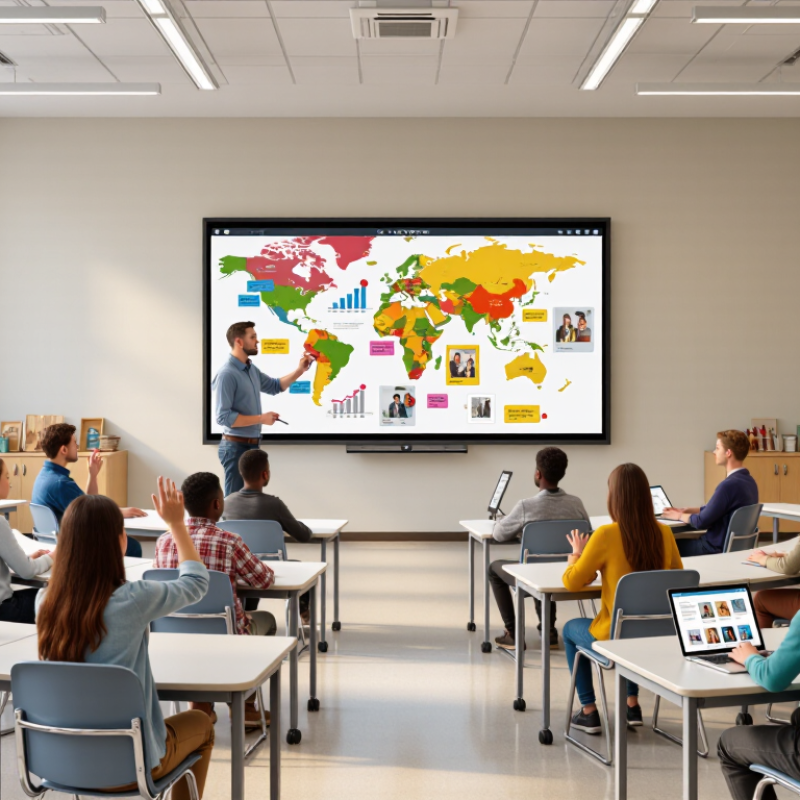
Choosing an interactive board should begin with learning goals, not screen size or attractive specifications. A language class may need clear annotation, quick student responses, and reliable audio. A science lesson may require diagrams, video, and safe remote demonstrations. Define these actions before comparing equipment.
Classroom requirements differ sharply across regions. UNESCO’s 2023 Global Education Monitoring Report found that only 40% of primary schools worldwide had internet access for teaching. This makes offline access, local content storage, and simple file sharing essential. Electricity stability also matters. A board that restarts during a lesson quickly loses teacher confidence. Ask practical questions: Can teachers operate it after brief training? Can students reach the screen safely? Does the interface support multiple languages and accessibility tools?
Experience often reveals overlooked constraints. In one classroom, a highly responsive display still failed because sunlight washed out handwritten notes. A smaller board with stronger visibility worked better. The OECD’s PISA 2022 results reported that moderate digital-device use can support learning, while distraction is linked with weaker outcomes. Therefore, specify when the board should be active and when it should remain quiet. Avoid buying features teachers rarely use. We did this once. It was expensive and unnecessary. Pilot the board with real lessons, crowded seating, limited bandwidth, and a tired teacher. Collect evidence from students, educators, and technicians before making the final choice.
Before comparing interactive boards, identify the classroom tasks they must support. This example scorecard prioritizes common requirements such as visibility, collaborative interaction, accessibility, lesson compatibility, and reliable connectivity.
Use the priorities as a starting point, then adjust the weighting according to student age, class size, teaching methods, curriculum needs, and available infrastructure.
How to Choose Interactive Boards for Global Classrooms?
Compare Interactive Board Technologies and Display Options
Choosing an interactive board starts with classroom conditions, not attractive specifications. A bright LCD or LED display usually performs better than a projector in sunlit rooms. It also avoids replacement lamps and ceiling shadows. Projection can remain useful for very large surfaces, but installation and calibration require more attention.
Touch technology changes the teaching experience. Infrared systems detect fingers, gloves, and styluses across a broad surface. They are practical for younger learners and shared classrooms. Projected capacitive touch feels smoother and supports precise writing, but thick gloves may reduce responsiveness. Electromagnetic pen systems can offer accurate handwriting and pressure control. They may suit mathematics, design, or annotation-heavy lessons. Test these differences with real activities. A specification sheet cannot show writing delay.
In global classrooms, accessibility and maintenance deserve equal weight. Look for adjustable contrast, clear audio connections, screen readers, and support for multiple writing systems. A board should accept common file formats and work with unstable internet access. Offline tools matter. Ports, wireless security, repair access, and energy use also affect long-term value. During evaluation, ask students to reach the upper corners and read text from the back row. Small physical barriers become obvious quickly. No scoring sheet is perfect. A familiar interface may still hide weak accessibility, while a cheaper display may create fewer repair problems. Pilot testing across different rooms remains the most reliable choice.
Choosing interactive boards for global classrooms starts with compatibility, not screen size.
A board should connect reliably with existing laptops, operating systems, classroom cameras, and learning platforms. Test wireless casting in a crowded room. Test it live. I have seen impressive demonstrations fail when an older computer could not share sound. Check ports, browser support, update policies, and offline functions before approving a purchase. Small technical gaps become daily teaching delays.
Accessibility needs practical testing by varied users.
Text should remain readable from the back row, even under strong afternoon light. Touch targets need enough space for students with limited motor control. Useful boards support keyboard access, screen magnification, captions, audio control, and high-contrast settings. Do not treat these features as optional extras. Invite teachers, students, and support staff to complete common tasks. Their feedback may reveal problems hidden by a specification sheet. Local languages and inconsistent internet access also deserve attention.
Ease of use matters during real lessons, not only during installation.
A teacher should open a lesson, annotate a map, save notes, and switch sources quickly. Menus should be clear enough for a substitute teacher. Still, simplicity can be misleading. Some interfaces feel easy until settings disappear after an update. I sometimes overvalue a smooth demonstration. Not on paper. Ask for training materials, response times, and repair procedures in writing. Run a short classroom pilot before a large order. My evaluations improve when I record failed touches and connection drops instead of hiding them.
Choosing interactive boards for global classrooms requires more than comparing screen sizes. Installation conditions can vary sharply between campuses. Measure wall width, ceiling height, cable routes, and power access before selecting a model. Check whether the board supports the room’s existing computers and wireless network. In one overseas classroom, a suitable display still failed because its mounting surface was uneven. Small details matter.
Support should be tested before purchase. Ask about local technicians, remote diagnostics, spare parts, training, and response times across time zones. A teacher should not wait weeks for help during an important lesson. Security also needs practical review. Confirm user permissions, software update methods, data encryption, and account controls. Shared classrooms require simple sign-out procedures. Avoid systems that depend on one administrator’s personal device. That arrangement is convenient, but fragile.
Calculate total cost over several years, not only the initial invoice. Include mounting, cabling, delivery, installation, licenses, training, maintenance, electricity, and eventual replacement. A cheaper board may become expensive when each repair requires international shipping. My first classroom budget missed teacher training and spare cables. The equipment worked, but adoption was slow. That mistake showed me that usability belongs in the cost calculation. Leave room for unexpected expenses. They will appear.
A strong interactive board must serve different classrooms, not just impressive demonstrations. Teachers may switch between English, Arabic, Hindi, or other writing systems during one lesson. The interface should support clear fonts, accurate touch input, and simple language settings. Test it in context. Stand beside a bright window and check screen visibility. Invite teachers with different technical skills to complete common tasks. Their hesitation can reveal more than a polished product presentation.
Global classrooms also need dependable access. Check whether the board works with local devices, unstable networks, and different power conditions. Built-in speakers should remain clear in a crowded room. Touch response should support small children, wheelchair users, and teachers wearing gloves. Accessibility settings, adjustable height, and readable contrast deserve practical testing. Protecting student information matters too, so review data controls and local privacy requirements before purchase. I once focused too much on screen size and overlooked mounting height. That mistake changed how I evaluate classroom equipment.
Tips: Ask teachers to test a real lesson, not a scripted demo. Compare handwriting accuracy across languages. Check offline functions before relying on cloud tools. Request clear training materials and repair support. Keep spare cables available. Small details matter. A lower-cost board may perform better when teachers can use it confidently every day. The “best” choice may still need revision after a full term of classroom feedback.
Rob was always very honest and upfront about everything and took the time to explain everything I needed.
“highly recommended. They provided us with a great storage container with ontime services.”
“Bought a used container, its perfect, no leaks and in good condition.”
“Good service and prompt delivery. A great option for temporary storage at a decent price.”

Join our mailing list to get the latest storage container inventory and offers